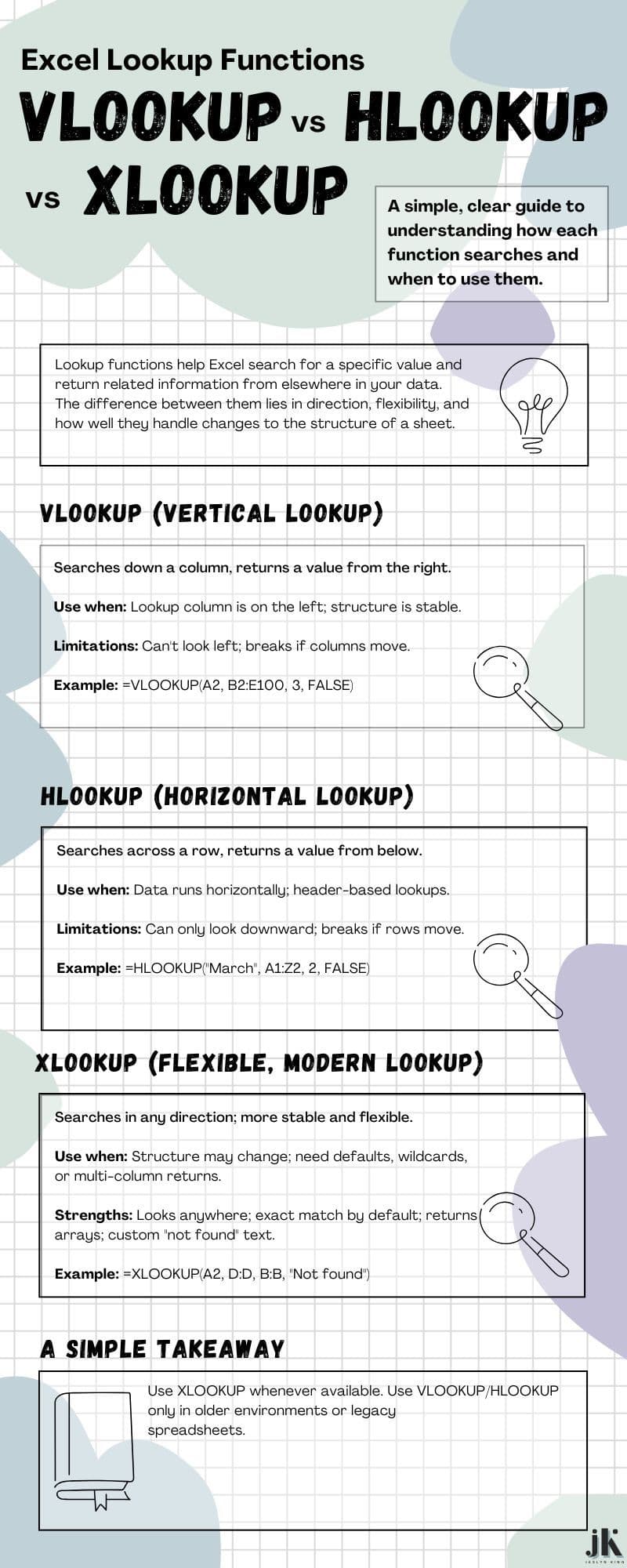


HLOOKUP vs. VLOOKUP vs. XLOOKUP: A Clear Breakdown for Everyday Excel Work
In Excel, lookup functions all solve the same core problem:
“Find a value in one place and return related information from somewhere else.”
But the way each function searches — vertically, horizontally, or in any direction — changes how flexible it is and how easily it adapts as your data grows.
Here’s a simple way to think about the three major lookup functions and when each one makes sense.
1. VLOOKUP: The Vertical Lookup
At the core, VLOOKUP looks down a column for a match, then returns a value from a column to the right.
A useful way to see this:
VLOOKUP assumes your data is arranged top to bottom, with the lookup column on the far left.
Best use cases
- Data structured in a clean vertical table
- Quick, one-direction lookups with a stable layout
- When your lookup value is always in the first column
Limitations
- Can only look to the right
- Breaks if columns move
- Requires a column index number
- Not ideal for evolving spreadsheets
Example in practice
Looking up a product’s price based on its name, where the names are in the first column and prices sit to the right.
2. HLOOKUP: The Horizontal Lookup
HLOOKUP works the same way as VLOOKUP but in the opposite direction.
It searches across a row, then returns a value from a row below it.
A useful way to see this:
HLOOKUP is built for left-to-right layouts — often when your categories sit in a header row.
Best use cases
- Data where months, labels, or categories run across the top
- Cross-tab or matrix-style datasets
- Horizontal structures that rarely change
Limitations
- Can only look downward
- Breaks if rows move
- Less commonly used overall because most data is stored vertically
Example in practice
Finding March’s sales by scanning across the header row of months.
3. XLOOKUP: The Modern, Flexible Lookup
XLOOKUP removes almost all the constraints of the older functions.
It can search in any direction — up, down, left, or right — and it keeps working even if your data moves.
A simple way to think about it:
XLOOKUP is VLOOKUP and HLOOKUP combined, but with the guardrails removed.
Best use cases
- Whenever you want stable, future-proof formulas
- Spreadsheets that evolve over time
- Lookups where the return column might be to the left
- Partial matches, default values, or variable matching logic
Strengths
- Direction doesn’t matter
- Doesn’t break when rows or columns shift
- Allows custom “not found” messages
- Handles wildcards and multiple return columns
- Supports exact and approximate matching without extra parameters
Example in practice
Returning an employee salary even when the salary column sits to the left of the name.
So which one should you use?
Here’s the practical rule:
If you have XLOOKUP, use XLOOKUP.
It’s more stable, more forgiving, and more aligned with how real spreadsheets evolve.
VLOOKUP and HLOOKUP still matter when:
- You’re working in an older Excel environment
- A team or legacy system requires consistency
- You’re maintaining existing formulas rather than building new ones
But for most modern workflows, XLOOKUP gives you a cleaner foundation that won’t fall apart when someone rearranges a table.
A simple takeaway
All three functions solve the same problem — they just differ in how rigid or flexible they are. The shift from VLOOKUP and HLOOKUP to XLOOKUP reflects how spreadsheets have changed:
from fixed layouts to dynamic, moving structures.
If you’re building anything you expect to maintain, share, or scale, XLOOKUP is the most reliable choice.